
Your new Tu and Argos account
We’re joining up with Argos, part of the wider Sainsbury’s family, to make your experience shopping with us even better. That means your Tu account will no longer work and instead, you’ll now use an Argos account to shop with Tu.
&poi={$this.metadata.pointOfInterest.x},{$this.metadata.pointOfInterest.y},{$this.metadata.pointOfInterest.w},{$this.metadata.pointOfInterest.h}&scaleFit={($this.metadata.pointOfInterest.x>0)?$sfpoi:$sfcenter}&sm=aspect&aspect=2:1&sfcenter=center&sfpoi=poi&qlt=50&fmt=auto&noiser=0&fmt.jpeg.interlaced=true&fmt.jp2.qlt=40&)
The benefits of one account
?$sfpoi:$sfcenter}&sm=aspect&aspect=2:1&sfcenter=center&sfpoi=poi&qlt=50&fmt=auto&noiser=0&fmt.jpeg.interlaced=true&fmt.jp2.qlt=40&w=600&)
Collect and spend Nectar points on Tu.co.uk
?$sfpoi:$sfcenter}&sm=aspect&aspect=2:1&sfcenter=center&sfpoi=poi&qlt=50&fmt=auto&noiser=0&fmt.jpeg.interlaced=true&fmt.jp2.qlt=40&w=600&)
Manage all your Tu and Argos orders in one place
?$sfpoi:$sfcenter}&sm=aspect&aspect=2:1&sfcenter=center&sfpoi=poi&qlt=50&fmt=auto&noiser=0&fmt.jpeg.interlaced=true&fmt.jp2.qlt=40&w=600&)
Collect your order from more than 1000 Sainsbury’s and Argos locations
?$sfpoi:$sfcenter}&sm=aspect&aspect=2:1&sfcenter=center&sfpoi=poi&qlt=50&fmt=auto&noiser=0&fmt.jpeg.interlaced=true&fmt.jp2.qlt=40&w=600&)
Use the same stored payment and address details for Tu and Argos
What do I need to do?
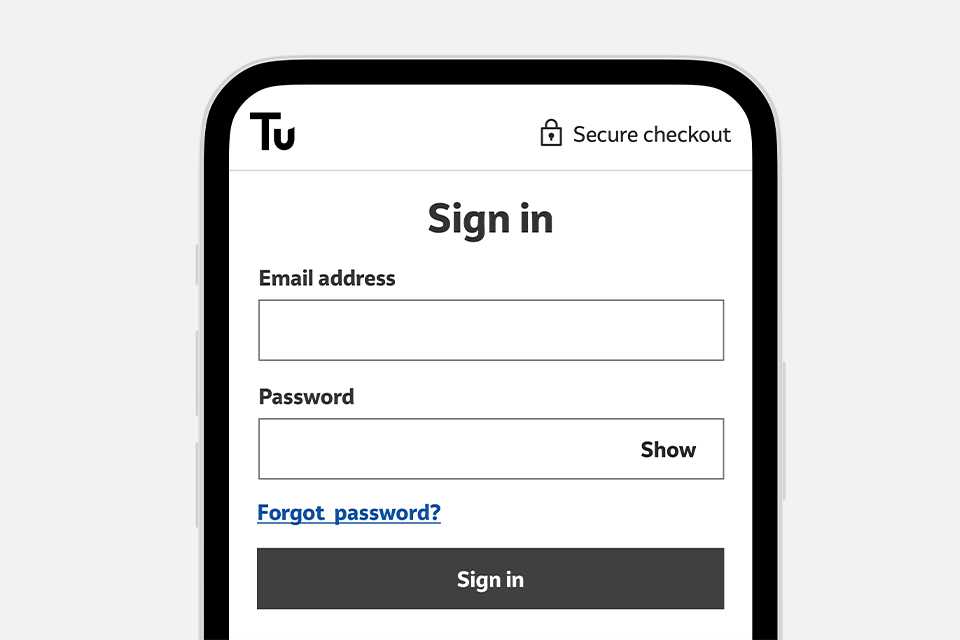
If you already have an Argos account
You can complete your purchase using your Argos details to sign in during checkout.
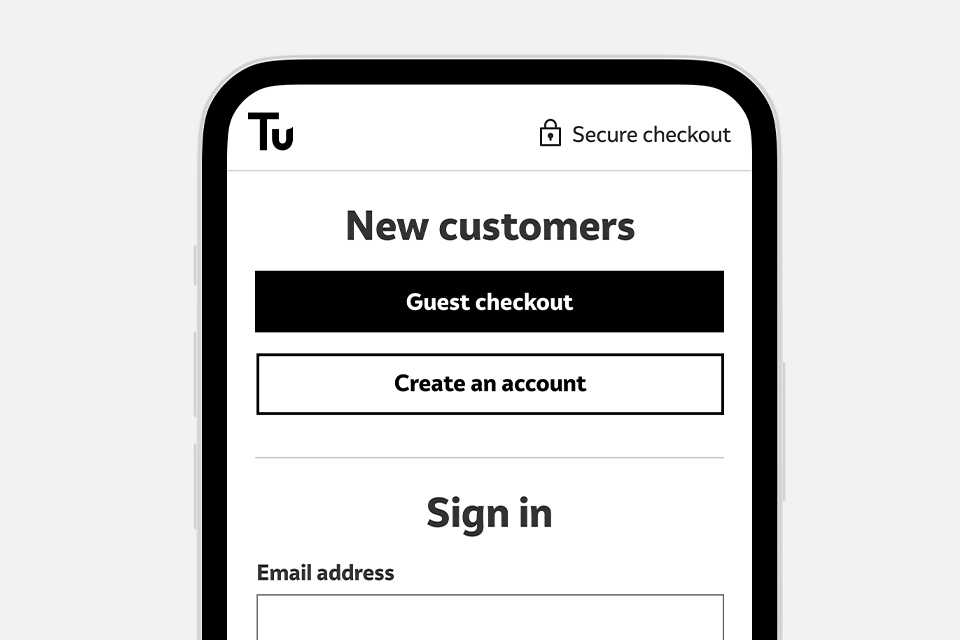
If you don’t have an Argos account
You can create an account during checkout or complete your purchase as a guest.
Helpful FAQs
How do I know if I have an Argos account?
If you’re having trouble accessing your Argos account or you can’t remember if you already have an Argos account, you can try resetting your Argos password. If you receive a reset password link after entering your email at that link, that means you do have an Argos account and you can use it to shop with Tu.
What’s happened to my Tu account?
We’re joining up with Argos, part of the wider Sainsbury’s family, to make your experience with us even better. That means your Tu account will no longer exist and you will use your Argos account to sign in on Tu. If you already have an Argos account, you can now use this on both the Argos and Tu website. If you don't have an Argos account, you can create a new one through either website. You'll now have one set of sign in details for both, that'll house all your orders and information. If you want to update any details, you'll need to access your account via the Argos website.
Can I use my account across both Tu and Argos?
Yes, you can use your account when you reach the checkout on either Argos or Tu. Here, you'll be able to access all your saved addresses, card details and linked Nectar card on either website. If you need to update any details in your account, you'll need to do this via the Argos website.
Why is there a mixture of Argos and Tu orders in my 'recent orders'?
To make things easier, we've combined your Tu and Argos orders into your one Argos account. All your orders are now stored together in one spot. Please note, Tu orders placed before 28 March 2023 won't show up in the account.
How can I find Tu orders placed before 28 March 2023?
If you need to see an order placed before 28 March 2023, we’ll have sent you an order confirmation email. Search your emails for a confirmation from “tucustomerservices@mail.sainsburys.co.uk” to find it. Alternatively, you can contact our call centre on 0800 028 6658 and we can retrieve your order details.
Can I check out as a guest when I shop?
Yes, you can check out as a guest if you choose to collect your order. If you choose to have your order delivered, you will need to sign in or create an account to check out.
How do I add my Nectar card to my account?
If you don’t have a Nectar card added to an existing Argos account, you’ll need to add Nectar by accessing your account via the Argos website. Once you add Nectar to your Argos account, you’ll automatically be able to collect and spend points when you shop with Tu.
If you already have a Nectar card added to your Argos account, you should be able collect and spend points automatically when you shop at Tu.
If your Nectar card isn’t working on Tu, you may have to re-link your Nectar card to your Argos account. To do this:
-
Sign in to your Argos account via the Argos website
-
Go to Your Account and then the “Ways to pay” section
-
Use the bin button to unlink your Nectar card from your Argos account
-
Once unlinked, use the “Link your Nectar account” button to re-link your Nectar card
Follow the instructions to re-link your Nectar card and once complete, you’ll see your available Nectar points to spend when you next stop on Tu.co.uk.
If we still haven’t answered your query, please call us on 0800 028 6658, lines are open every day from 8am – 8pm.